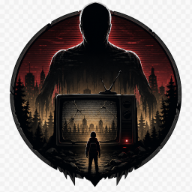
Lurking Giants: The Complete Survival Guide to Roblox's Terrifying Giants Chase Game
Master Lurking Giants on Roblox! Learn to survive terrifying giants, outrun monsters like Guilt, and dominate the leaderboard with our pro tips.
Roblox horror enthusiasts have a bone-chilling new obsession, and it comes in the form of towering, nightmare-inducing monstrosities. In the hit game Lurking Giants, players are thrown into tense, atmospheric maps where they must outrun and outsmart massive entities designed to hunt them down. Surviving these Lurking Giants giants requires more than just luck; it demands a deep understanding of movement mechanics, map layouts, and the unique behaviors of each colossal killer. Whether you are running for your life or taking a turn playing as one of the terrifying Lurking Giants giants, this comprehensive guide will equip you with the strategies needed to dominate the lobby.
What is Lurking Giants?
At its core, this title is a high-octane chase game that blends the dread of Trevor Henderson-inspired analog horror with fast-paced Roblox survival mechanics. Players are dropped into various eerie environments, such as dark campgrounds or towering concrete structures, while one player or AI-controlled entity takes on the role of a giant.
The primary objective for survivors is simple: run, hide, and survive until the timer runs out. For the giant, the goal is to locate and eliminate every single human on the map. The game stands out due to its tense atmosphere, sudden jump scares, and the sheer scale of its antagonists, which tower over the playing field and can strike from surprising distances.
Essential Controls and Movement Mechanics
To survive the towering threats in this game, you must master your movement. Unlike standard Roblox experiences, movement here has a distinct weight and momentum that can mean the difference between life and death.
The Sprint Debate: Default Controls
One of the most talked-about aspects of the game among the community is its default control scheme. While most Roblox games utilize the Shift key to sprint, this game defaults sprint to the E key. This layout often catches new players off guard, leading to quick, early-game deaths. You should immediately familiarize yourself with this layout or check the in-game settings to see if remapping is available.
Crouching and Flinging Mechanics
Crouching is not just for hiding behind low walls. According to player experiences, crouching can be used dynamically to trigger physics interactions. In some instances, players have reported being able to "fling" themselves or others by crouching and jumping in rapid succession or by interacting with other players' hitboxes. While risky, mastering these movement quirks can help you escape tight corners when a giant cornered you.
| Action | Default Keybind | Tactical Use Case |
|---|---|---|
| Move | W, A, S, D | Standard navigation and positioning. |
| Sprint | E | Escaping direct chases; use sparingly to manage stamina. |
| Crouch | C or Ctrl | Hiding behind obstacles and setup for physics jumps. |
| Jump | Spacebar | Platforming and avoiding ground-level swipes. |
The Giants: Roster and Behaviors
The true stars of the show are the giants themselves. Inspired by popular analog horror designs and community-created lore (similar to the famous Lurking in Daylight creature from the Trevor Henderson fan community), these beasts possess different speeds, visual designs, and attack patterns.
Standard Giants
The default giant is a towering, faceless entity that relies on sheer size and sweeping physical attacks. They patrol the map, using automated ping systems that periodically highlight survivor locations. This makes camping in one spot incredibly dangerous, as your position will eventually be revealed.
Guilt: The Pay-to-Win Menace?
Among the community, the giant known as Guilt is widely feared. Experienced players often refer to Guilt as a highly aggressive, incredibly fast character. Guilt does not just walk; this entity can crawl, slide, and execute rapid movements that make it look like it is performing triple backflips across the map. Many players jokingly refer to Guilt as a "pay-to-win" character due to how difficult it is for survivors to outrun them compared to the standard roster.
| Giant Type | Movement Speed | Special Attributes | Community Difficulty Rating |
|---|---|---|---|
| Standard Giant | Moderate | Auto-ping system, long melee reach | Medium |
| Guilt | Extremely Fast | Crawling animations, rapid direction changes | Very High |
| Lurking in Daylight (Lore) | Slow to Moderate | Daylight camouflage, 4-legged stance | N/A (Wiki Lore) |
Survivor Strategy: How to Outlast the Hunt
Surviving a round against skilled Lurking Giants giants requires tactical positioning and a clear understanding of the map's verticality. Here are the top strategies used by high-ranking survivors.
1. Avoid the "Wall Trap"
A common mistake made by beginners is running along the outer boundaries of the map. While it might feel safe to keep your back to the wall, experienced giants know this trick. They will easily corner you against the map border, leaving you with zero escape routes. Instead, try to navigate through the center of the map, utilizing structures and obstacles to break line of sight.
2. Leverage Verticality (With Caution)
Many maps feature high towers, ladders, and rooftops. Climbing these structures can buy you valuable time, as giants must spend time navigating up to your level. However, do not get trapped at the top. Smart players climb up to lure the giant, and just as the monster reaches the top, they jump down to the ground level and sprint away. Be careful, as falling from extreme heights can sometimes stun your character.
3. The "Last Man Standing" Phase
If you are the last survivor alive, the game enters a dramatic "Last Man Standing" phase. The music intensifies, and your location may be highlighted more frequently. During this phase, your only goal is to waste the giant's time. Do not attempt to hide; instead, find a loopable structure (like a building with multiple entrances and exits) and run circles around the giant until the timer expires.
[Climb Tower] ---> [Lure Giant Up] ---> [Wait for Giant to Reach Top]
                                                |
                                                v
[Escape Safely] <--- [Sprint Away] <--- [Jump to Ground Level]
Playing as the Giant: How to Hunt Efficiently
Stepping into the shoes of one of the massive Lurking Giants giants is an absolute power trip, but winning against a lobby of coordinated survivors still requires strategy.
Step-by-Step Hunting Guide
- Utilize the Auto-Ping System: The game will periodically ping the locations of survivors. Do not wander aimlessly; watch for these visual cues and head immediately toward the densest cluster of players.
- Cut Off Escape Routes: When chasing a survivor, do not just follow their exact path. Anticipate where they are running and take shortcuts to cut them off, especially if they are heading toward towers or map corners.
- Handle Tower Campers: If survivors are camping on top of narrow structures, do not slowly climb up if you can avoid it. Stand at the base to trap them, or use your massive reach to swipe at them from below if the geometry allows.
- Target Isolated Players First: It is much easier to secure quick kills on players who wander away from the group. Clean them up early to reduce the number of eyes watching your movements.
Map Analysis: Campground vs. City Ruins
The environment you play in heavily dictates your survival rate. Currently, the game features several distinct maps, each favoring different playstyles.
Campground Map
The Campground is a dark, atmospheric forest filled with cabins, tents, and sparse foliage. It is highly inspired by classic analog horror aesthetics.
- Survivor Advantage: Plenty of trees and small structures to break line of sight.
- Giant Advantage: Dark lighting makes it easy for the giant to sneak up on unsuspecting players.
City Ruins Map
This map features concrete buildings, high towers, and paved streets. It is a highly vertical map that can be incredibly frustrating for giants if survivors play intelligently.
- Survivor Advantage: High towers allow players to camp and jump down when threatened.
- Giant Advantage: Wide-open streets allow giants to cover ground rapidly and catch players out in the open.
Community Lore: The Trevor Henderson Connection
The concept of towering monsters lurking just out of sight is heavily rooted in the internet mythos of Trevor Henderson. On community spaces like The Giants Trevor Henderson Creations Wiki, fans document fan-made entities like Lurking in Daylight—a massive, four-legged white giant with pitch-black eyes that hunts during the day.
While the Roblox game adapts these concepts into an interactive chase format, the underlying dread remains the same. The developers have successfully captured that unsettling feeling of looking up into the sky and seeing a massive, distorted face staring back down at you.
Frequently Asked Questions
How do I sprint in Lurking Giants?
By default, the sprint key is bound to E instead of the traditional Shift key. This catch many players off guard, so make sure to press and hold E when trying to outrun the Lurking Giants giants.
Who is the fastest giant in the game?
According to player reports and gameplay footage, Guilt is considered one of the fastest and most terrifying giants in the game. It features unique crawling animations and rapid movement patterns that make it incredibly difficult to escape.
Is Lurking Giants based on Trevor Henderson's work?
Yes, the game draws heavy aesthetic inspiration from Trevor Henderson's famous giant monsters and analog horror creations. The eerie, low-fidelity atmosphere and massive, distorted humanoid designs reflect this popular internet horror subgenre.
How does the Last Man Standing mechanic work?
When only one survivor remains, the game enters a dramatic final phase. The music changes, and the survivor must dodge the giant under intense pressure until the round timer completely runs out to secure a victory for the human team.
Related Guides
Lurking Giants Doctor Nowhere: Verification Notes and Roster Tracking
Track what is and is not verified about Doctor Nowhere references in Lurking Giants, including roster rumors, shop UI claims, and safe wiki wording.
Lurking Giants Guilt Showcase: Mastering the Horror of Roblox's Creepiest Entity
Explore the Lurking Giants guilt showcase to learn survival strategies, entity lore, and how to evade the terrifying Guilt in this Roblox horror hit.
Lurking Giants Locust Guide: Master the Default Killer and Dominate Survivors
Master the Lurking Giants locust with our ultimate guide. Learn strategies, abilities, and how to dominate survivors in this Roblox horror game.
Lurking Giants verity Update Guide: How to Survive the New Roblox Horror Nightmare
Master the new Lurking Giants verity update on Roblox. Discover survival tips, map changes, new perks, and how to escape the terrifying new entity.